Budget Tracker
by Orbitra · Android
Budget & expense tracker Every dollar moves you up.
Track spending, budgets, bills and net worth in any currency, and climb from your first $1,000 to the Billionaire summit, milestone by milestone. Private, offline, no ads, no bank login.
- Free
- No account
- No ads
15
milestones to the summit
21
account and asset types
4
file formats to import
0
ads, bank logins or paywalls
01 Log it in seconds
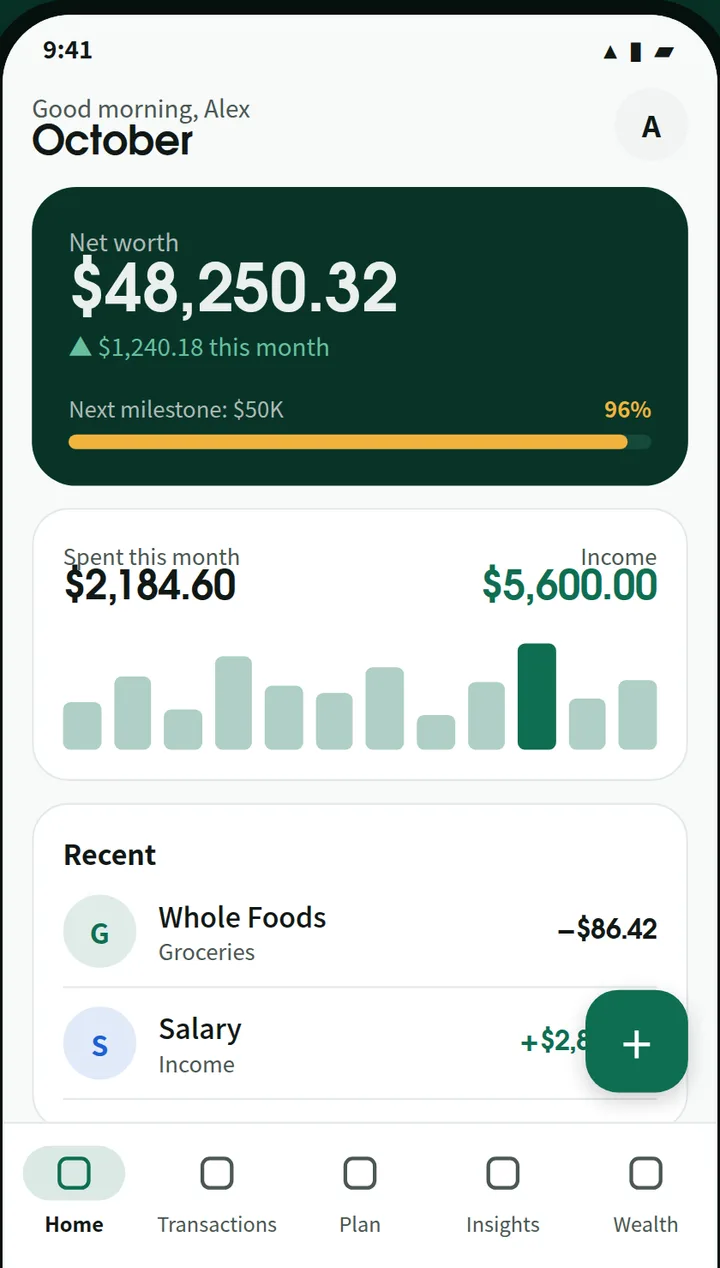
See every dollar. Plan every move.
Your net worth, this month’s spending, budgets and upcoming bills on one screen.
-
Fast entry with a keypad
Expense, income or transfer, with a built-in calculator.
-
Categories, tags and payees
Subcategories, tags, notes, and payee suggestions that remember the category.
-
Split transactions
One receipt across several categories. Budgets count each part.
-
Receipt photos
Up to 5 per transaction, with location data removed.
-
Search and filters
By words, dates, accounts, categories, tags or amount.
-
Calendar view
Each day’s total on a month grid. Tap a day to see it.
02 Plan
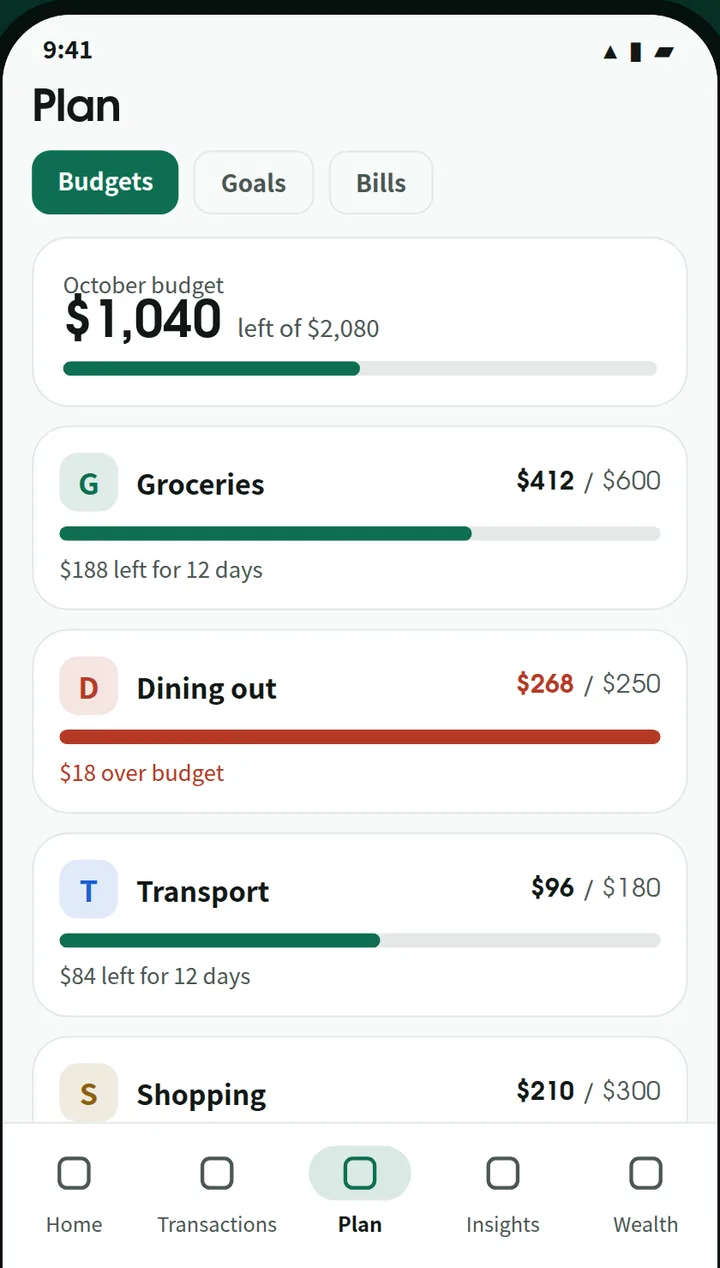
Budgets, goals and bills that keep you on track
Know what is left to spend today, and never miss a bill.
-
Flexible budgets
Weekly, monthly or yearly, per category or overall, with rollover.
-
Alerts at 80% and 100%
Plus a daily safe-to-spend amount.
-
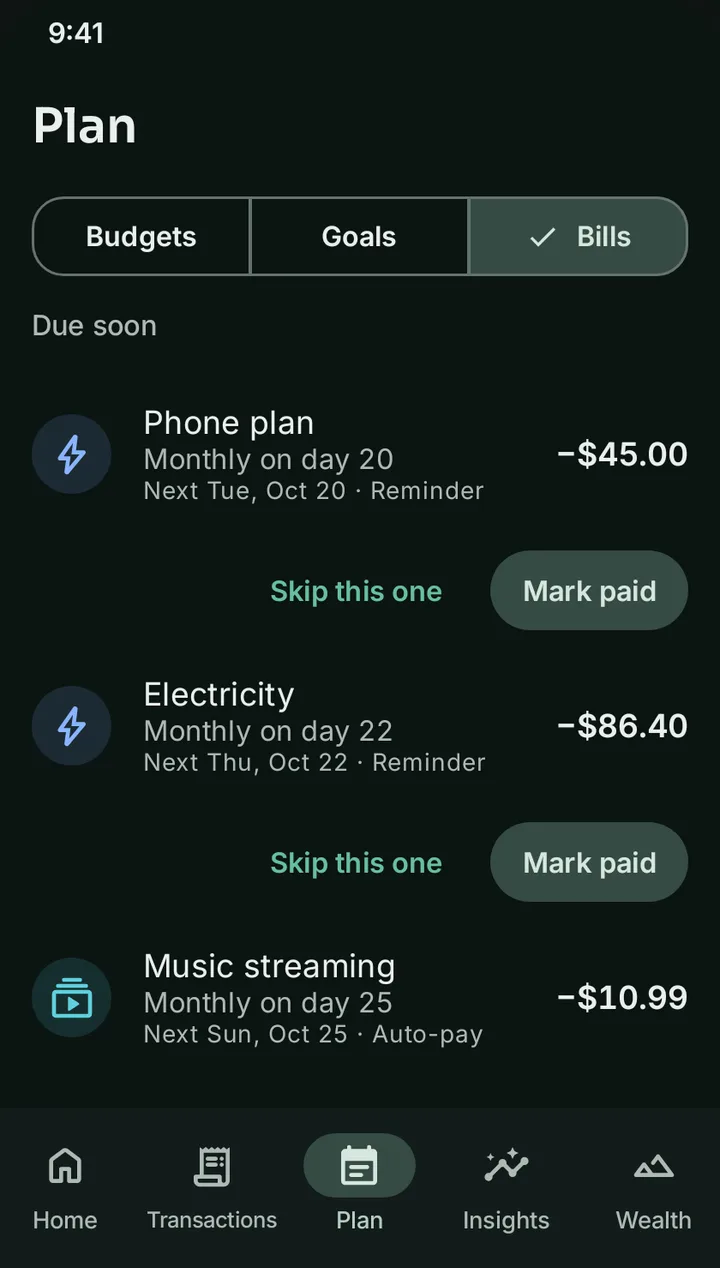
Recurring bills
Posted for you or on your confirmation. Mark paid or skip one.
-
Subscription tracker
See what your recurring costs add up to, a month and a year.
-
Goals
Progress rings and the monthly amount you need. A goal can follow an account’s value.
-
Your payday
Start the month on any day, 1 to 31.
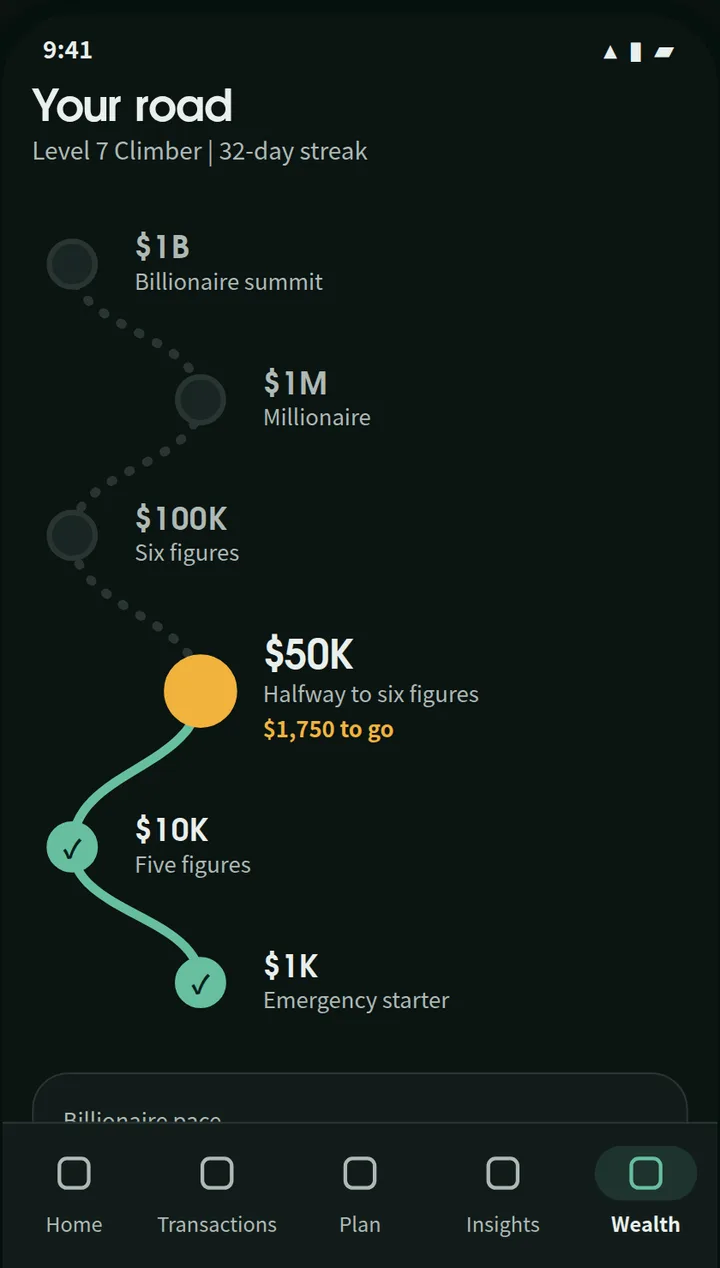
03 Road to Billionaire
Every milestone on your road, mapped
Fifteen milestones from your first step to the summit. A celebration for each one, and a calculator that shows how fast you could get there.
-
Wealth milestones
Emergency starter, Five figures, Six figures, Millionaire… all the way to Billionaire summit.
-
XP, levels and badges
From Explorer to Summiteer, with badges you keep.
-
Streaks with a rest day
Log every day, take a day off each week.
-
Share the moment
A milestone image to share. The amount only if you want.
-
Billionaire Pace
Saving, return and inflation turned into years per milestone.
Milestones and projections are there to keep you motivated. They are not financial advice.
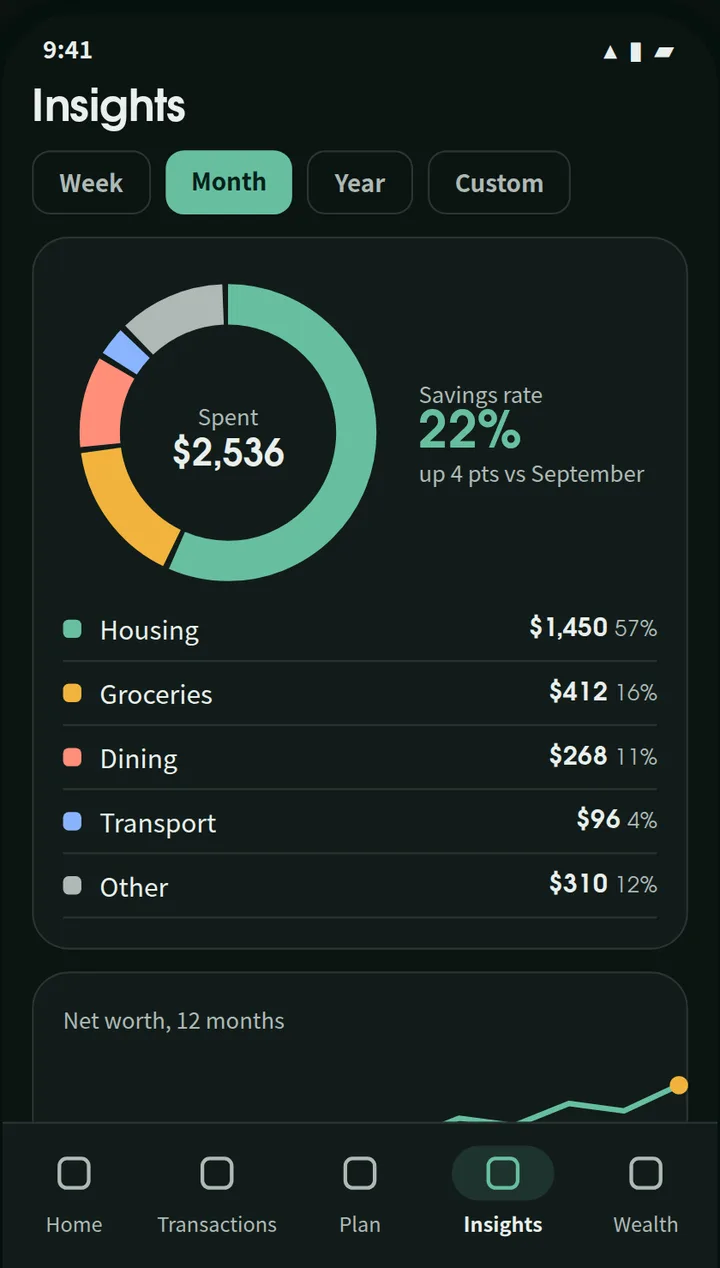
04 Insights
Understand where your money goes
Clear charts with a plain headline, like “You spent 18% less on Food than your 3-month average.”
-
Spending by category
Drill into subcategories and transactions.
-
Income, cash flow and savings rate
Six months side by side.
-
Net worth over time
12 months, with your milestones marked.
-
PDF report
A summary for any dates, ready to print.
05 Wealth
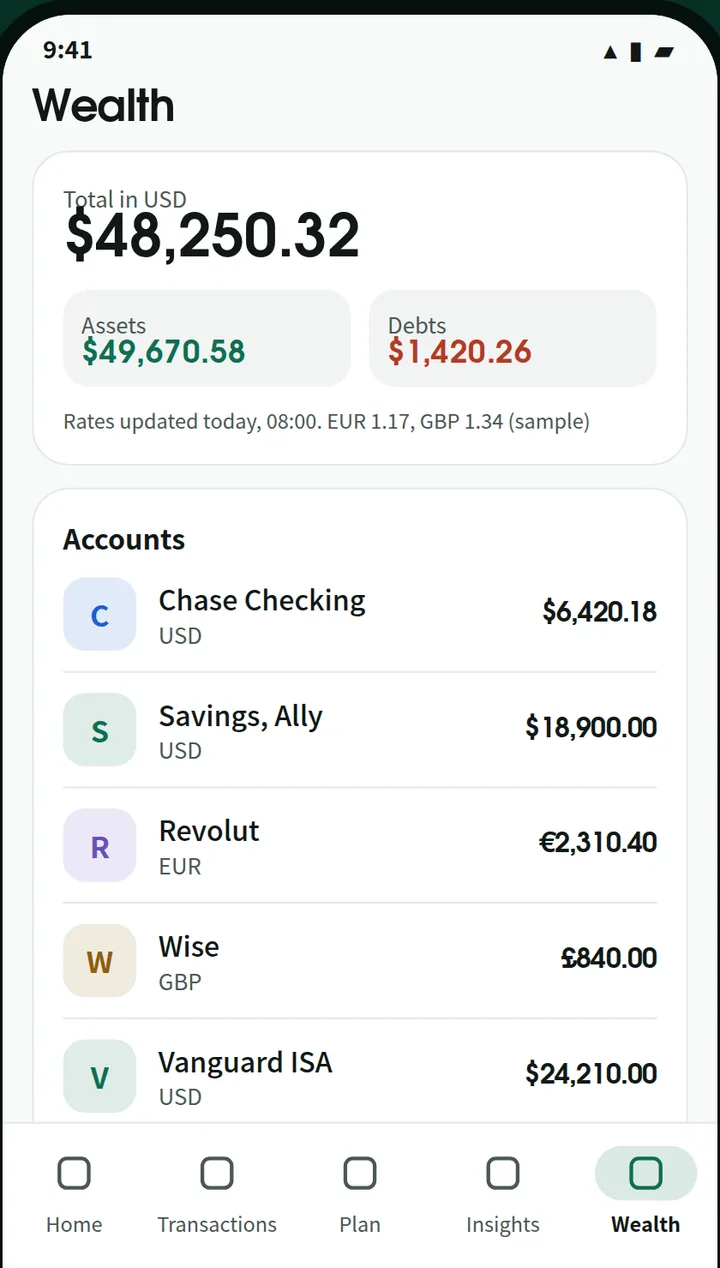
Any currency. Every asset. One net worth.
Each account in its own currency, converted with daily exchange rates into one total.
-
Every currency
Daily ECB rates, market rates for currencies like LKR, your own rate or a custom currency.
-
Travel mode
Type amounts in the local currency. They are saved converted.
-
Cards and loans
Credit limits, cards that look like cards, loans with automatic installments.
-
Gold, shares and crypto
Gold by grams and karat, Colombo Stock Exchange prices, top-100 coins.
-
Property and more
Land, vehicles, fixed deposits, funds, retirement, with yearly growth.
-
Debt payoff planner
Avalanche or snowball, with your debt-free month.
06 Private by design
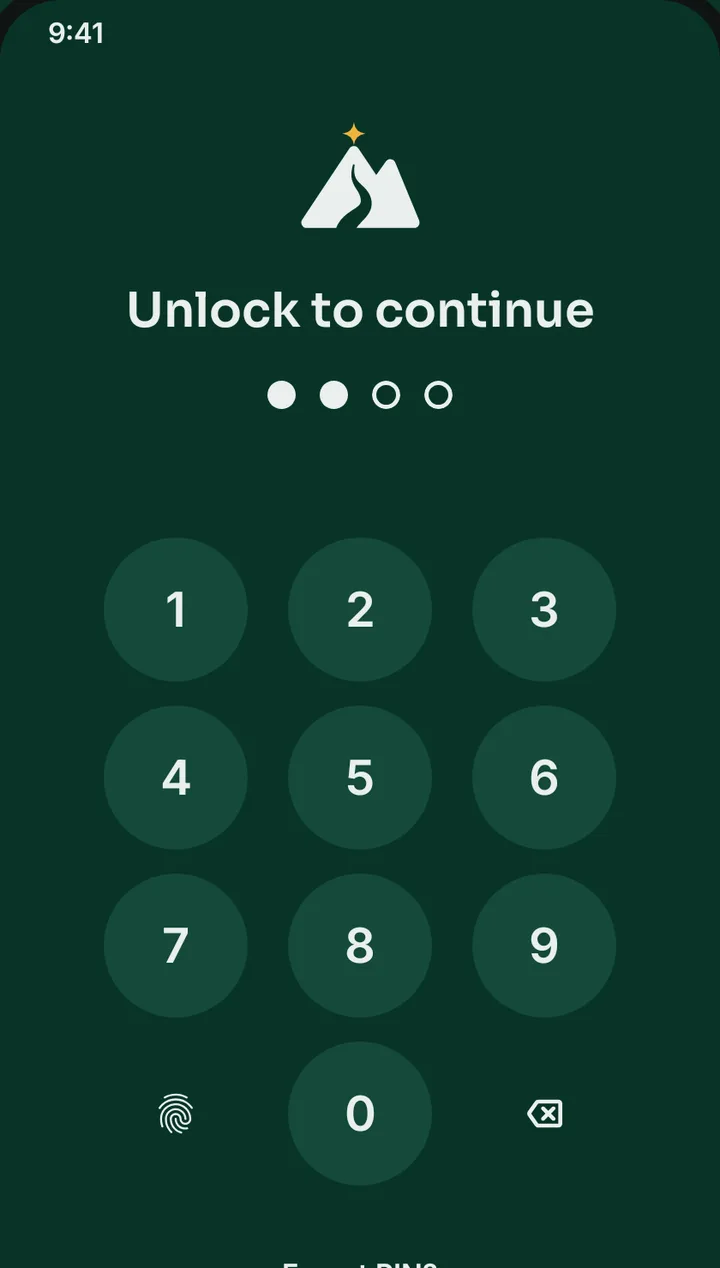
Private. No ads. No bank login.
Your money data lives only on your phone. We never receive it.
-
App lock
Your phone’s fingerprint, face or screen lock, or an app PIN.
-
Hide balances
And hide the app in recent apps and screenshots.
-
Encrypted backups
AES-256 backup files you keep wherever you like.
-
Delete all data
One switch in Settings wipes everything.
And there’s more
The little things that make a big difference
-
Home-screen widgets
Net worth, Spent this month and quick add.
-
Import
CSV, QIF, OFX and QFX files from your bank or another app.
-
Export
CSV, QIF or a PDF report.
-
Weekly recap
Spent, saved and budgets on track, plus a monthly review.
-
Ledgers
Keep a side business or shared money separate.
-
Light and dark
And your own first day of the week.
-
English and French
Numbers and dates in your format.
-
Every feature free
No paywall, no in-app purchases.
How it works
Three steps. That’s it.
- 1
Pick your currency
Add your accounts, or skip and start logging.
- 2
Log and plan
Transactions, budgets, bills and goals.
- 3
Climb
Watch your net worth rise, milestone by milestone.
Take a look
Inside Budget Tracker
Screens from the app, shown with sample data.
Privacy at a glance
Your data stays yours
- Your money data stays on your phone. No account, no bank login.
- No ads. Every feature is free, with no in-app purchases.
- Anonymous usage stats and crash reports are sent only if you agree.
Is it free?
Yes. Every feature is free. There are no ads, no paywall and no in-app purchases.
Do I need to connect my bank?
No. There is no bank sync. Add transactions yourself, import a CSV, QIF, OFX or QFX file, or set up recurring ones.
Does it handle more than one currency?
Yes. Each account has its own currency. The app uses daily European Central Bank rates, market rates for currencies the ECB doesn’t cover, and you can set your own rate or add a custom currency.
Is the Road to Billionaire financial advice?
No. Milestones, the pace calculator and projections are illustrations to keep you motivated, not financial advice.
How do I back up my data?
Create an encrypted backup file and save it where you like, such as Google Drive. You can also export to CSV or QIF.
Start your road today.
Budget & Expense Tracker · Free on Android · by Orbitra

Help and legal
Questions or a bug to report? Email [email protected]. We reply within 2–3 working days.